
Managing guest checkouts is one of the biggest challenges in any online store. A large portion of customers place orders without creating an account, which often leads to fragmented order history and lost customer insights.
WooCommerce Order Recovery Pro solves this by automatically linking guest orders to existing customer accounts in the background, improving data accuracy without any manual effort.
Built for WooCommerce stores, the plugin quietly runs scheduled processes to ensure every possible order is correctly associated with the right customer.
Installation and Configuration
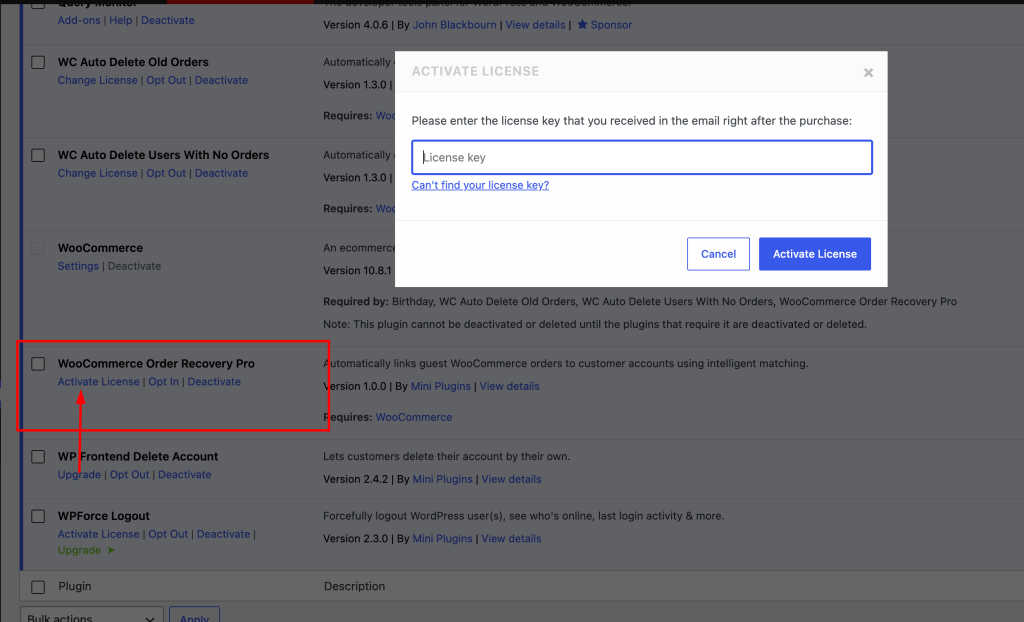
Once you purchase the WooCommerce Order Recovery Pro plugin, you’ll get the plugin zip file and plugin license key in the email.
Install, activate the plugin and enter your license key. That’s it.
The plugin works on the background. No settings or configuration required.
WooCommerce Order Recovery Pro links guest orders to customer accounts in three simple ways:
- When a customer checks out while logged in
The order is automatically assigned to their existing account. - When a customer creates an account after ordering as a guest
The plugin matches the email and connects previous orders to the new account. - Through background automatic scanning
A scheduled process regularly checks old guest orders and links them to matching customer accounts using billing email.
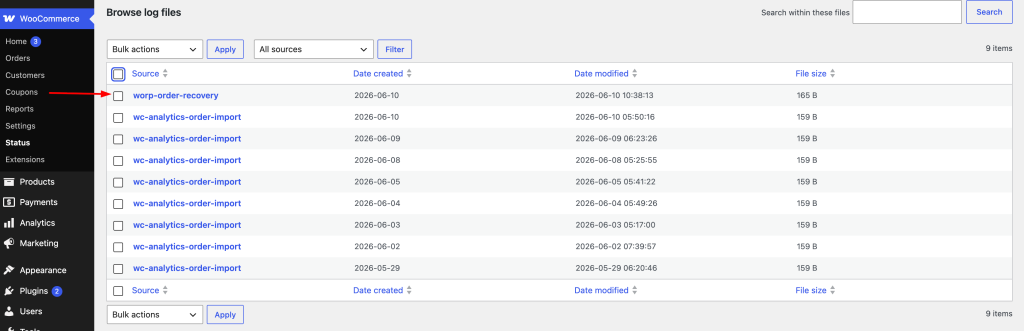
Monitor activity through logs
You can view everything the plugin is doing:
Go to WooCommerce → Status → Logs
Here you will see:
- Orders matched
- Background processing batches
- Any skipped or duplicate entries


Leave a Reply