
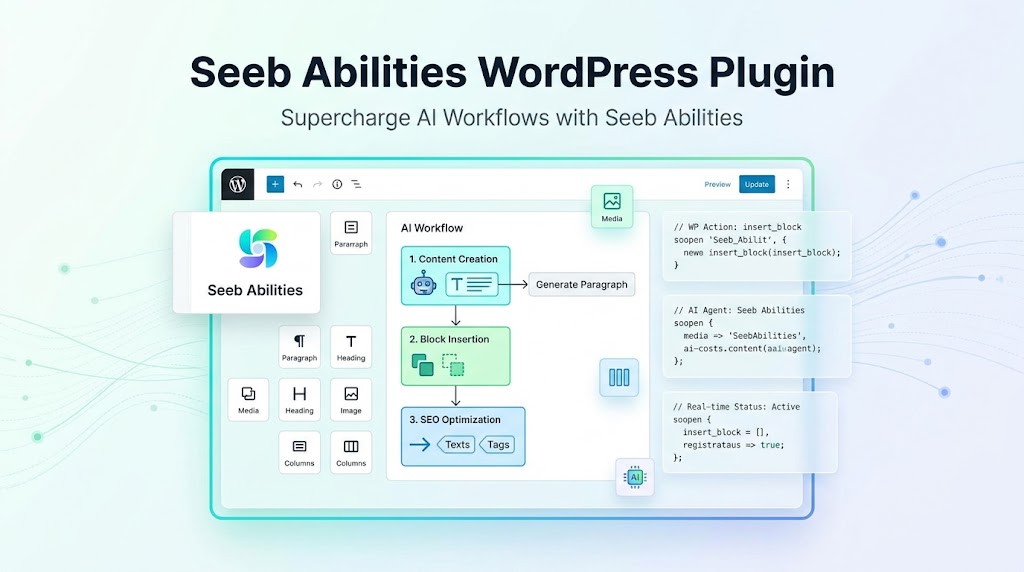
The Seeb Abilities WordPress Plugin add new abilities to your WordPress site allowing your site agent to do more things. Your AI agents can write and edit posts, build pages block by block, manage patterns and templates, moderate comments and more, instead of only reading information about your site.
The plugin adds a comprehensive set of controlled tools divided into core categories:
- Content Management: Query, create, update, duplicate, restore, and delete posts, pages, or custom post types.
- Blocks & Patterns: Insert individual blocks, update block attributes or inner content, move or remove blocks, and create/insert synced patterns.
- Site Editor & Templates: Edit and manage theme templates and template parts.
- Taxonomies & Navigation: Create and update categories, tags, and menu items.
- Media Library: Search media items, update attributes (like alt text or captions), and sideload files directly from URLs.
- Comments: Moderate and manage user comments.
The plugin is built with full customization. Site owners can easily disable specific abilities or entire categories under Settings > Seeb Abilities.
Note that the Seeb Abilities plugin only adds new abilities. You also need the MCP Adapter plugin to bridge the Abilities to Model Context Protocol (MCP) clients such as Claude, ChatGPT, Codex, VS Code etc. Here are other several MCP WordPress plugins to choose from. I recommend using Seeb Ablities along with the MCP Adapter plugin instead of paying for any plugin / services.
Here are few real use cases that site owners can ask their AI agent to:
1. Advanced Content & Page Building
- Building a landing page section by section:“Add a new hero section block at the top of the ‘About Us’ page, insert a columns block inside it, and populate the left column with a heading and paragraph about our new service.”
- Bulk updating seasonal content:“Find all published blog posts from 2024 that mention ‘pricing’ and update their introductory paragraphs to link to our new 2026 pricing page.”
- Duplicating and localizing content:“Duplicate post #4589 (our top-performing guide), save it as a draft, and update the title and content slug for our upcoming Spanish-speaking audience.”
2. Media & Asset Management
- Fixing accessibility (Alt text) in bulk:“Search the media library for any images uploaded this month that are missing alt text, and automatically generate descriptive alt text based on the image filenames and surrounding post context.”
- Sideloading external images:“Take this external image URL (
[[example.com/image.jpg](https://example.com/image.jpg)]), upload it directly to our media library, and set it as the featured image for post #1042.”
3. Site Structure & Navigation
- Quick menu updates:“Add a new custom link pointing to our ‘Spring Sale’ landing page and place it as the second item in our main header navigation menu.”
- Category and Tag housekeeping:“Create a new tag called ‘AI Workflows’, find all posts tagged with ‘Artificial Intelligence’ and ‘Automation’, and assign the new tag to them.”
4. Template & Design Tweaks (Site Editor)
- Modifying layout components:“Open the Single Post template, locate the post-author block, and move it so it sits directly above the post title instead of at the bottom.”
5. Community & Comments Moderation
- Clearing out spam and processing queues:“Check all pending comments waiting for moderation, approve the ones that are genuine questions or positive feedback, and move any comments containing promotional links to the trash.”
That’s all with Seeb Abilities. If you have any questions, let me know in comments.

Sanjeev Aryal is the creative mind behind Mini Plugins, a brand dedicated to developing lightweight, efficient WordPress plugins. He also writes occasionally and contributes to WordPress community.


Leave a Reply