If you run a WooCommerce store, chances are you’re already sending order confirmations, shipping updates, and maybe an abandoned cart reminder or two. But there’s one email most stores still skip: the birthday email. It’s a small gesture, but it’s one of the few marketing touches that doesn’t feel like marketing to the customer receiving it.
With Mini Plugins‘ Birthday For WooCommerce plugin, you can collect customer birthdays and send that email automatically, and if you want to go a step further, attach a birthday-only coupon to it. Here’s exactly how it works and how to set it up.
How Birthday For WooCommerce Works
The plugin adds a birthday field in three places, so you’re never relying on just one touchpoint to collect the date:
- At checkout – customers enter their date of birth while placing an order.
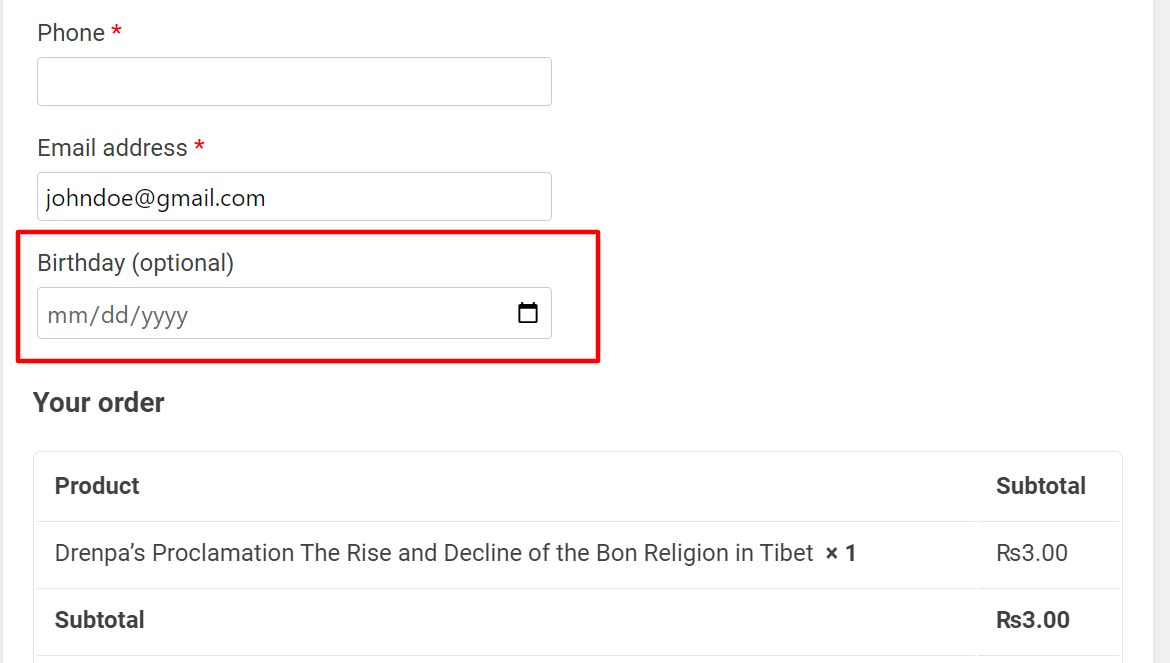
- In My Account – if they skip it at checkout, they can add it later from their account settings.
- In the WordPress user profile – store admins can add or correct a customer’s birthday from the backend if needed.
Once the date is saved, the plugin checks daily and fires off the birthday email automatically. No manual list-checking required.
How to Set Up the Birthday Email
Setting up the email itself takes a few minutes:
- Go to WooCommerce > Settings > Email and open the birthday email template.
- Write the subject line and body copy. If you’re pairing it with a coupon, this is where you’d reference the code.
- Add your branding and any images you want included.
- Send yourself a test before it goes live.
If you want more control over tone and layout, the guide on customizing the WooCommerce birthday email walks through it in more depth.
Why Birthday Emails Actually Work
This isn’t just a nice-to-have. According to Campaign Monitor’s research on birthday email marketing, birthday emails see meaningfully higher transaction rates and revenue per email than standard promotional sends. The reason is simple: it’s one of the few emails a customer actually expects to feel personal, so it gets opened and acted on instead of ignored.
How to Create a Birthday-Only Coupon
The PRO version lets you turn any existing coupon into a birthday-only coupon that only works on the customer’s actual birthday. Every normal WooCommerce coupon rule still applies, so you can:
- Set a flat amount or percentage discount
- Offer free shipping
- Require a minimum or maximum spend
- Exclude sale items or specific products/categories
- Restrict it to specific customer emails
- Limit it to individual use only
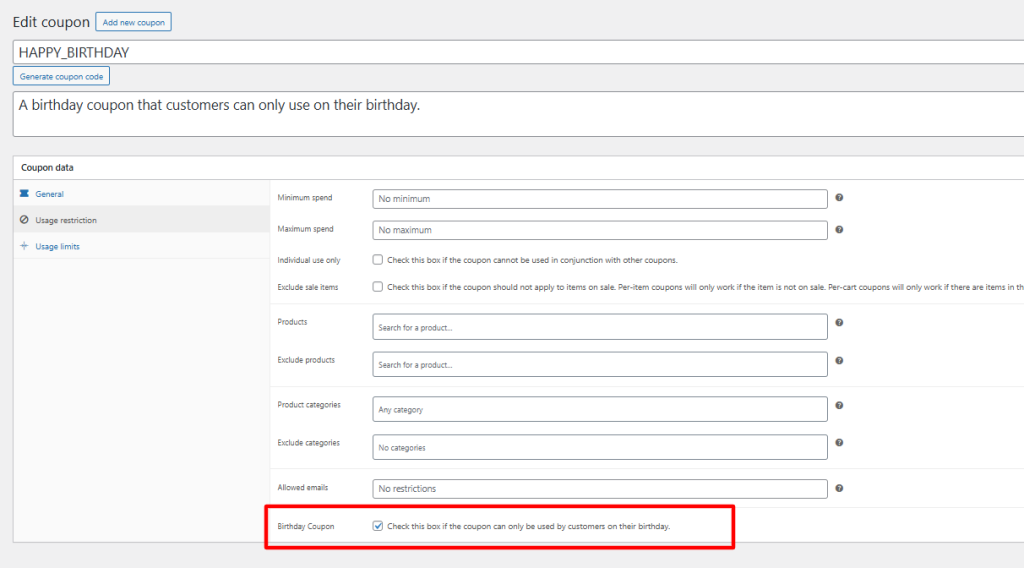
To configure it:
- Create a coupon under Marketing > Coupons as you normally would.
- Open Usage Restrictions and enable the Birthday coupon setting.
- Set the usage limit to 1 per user so the coupon can’t be reused if a customer edits their saved birthday later in the year.
- Recreate the coupon annually (or set it to auto-renew) so returning customers get a fresh code the following year.
The Birthday Confetti Touch
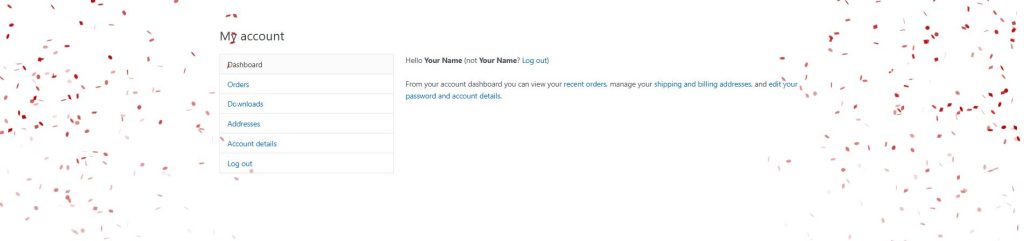
The PRO version also adds a short confetti animation on the My Account page when a customer logs in on their birthday. It won’t move your conversion numbers on its own, but it’s the kind of detail that makes a store feel like it actually remembers its customers, not just its coupon codes.
Quick FAQ
Can customers change their birthday after saving it?
Yes, anytime from their My Account page.
Does the birthday coupon work for more than one day?
No, it only validates on the exact birthday date.
Can I limit how many times a customer uses the birthday coupon?
Yes, WooCommerce’s native usage limit per user setting applies, so you can cap it at once per year.
Round Out Your Loyalty Strategy
Birthday emails work even better alongside a broader loyalty setup. If you want to reward repeat customers year-round, not just on their birthday, WooCommerce Points and Rewards is worth a look, it lets customers earn points on every purchase that they can redeem later, which pairs naturally with a birthday discount.
Get Started with Birthday For WooCommerce
You don’t need custom development to run birthday email marketing on WooCommerce. Install the free Birthday For WooCommerce plugin to start collecting birthdays and sending automatic emails, Upgrade to PRO Version when you’re ready to attach a real discount incentive to it.

Samikshya Sapkota is an SEO practitioner and content writer working with Mini Plugins. She focuses on building content that drives real organic traffic, from keyword strategy to publish-ready blog posts for WordPress, WooCommerce, and eCommerce audiences.


Leave a Reply