
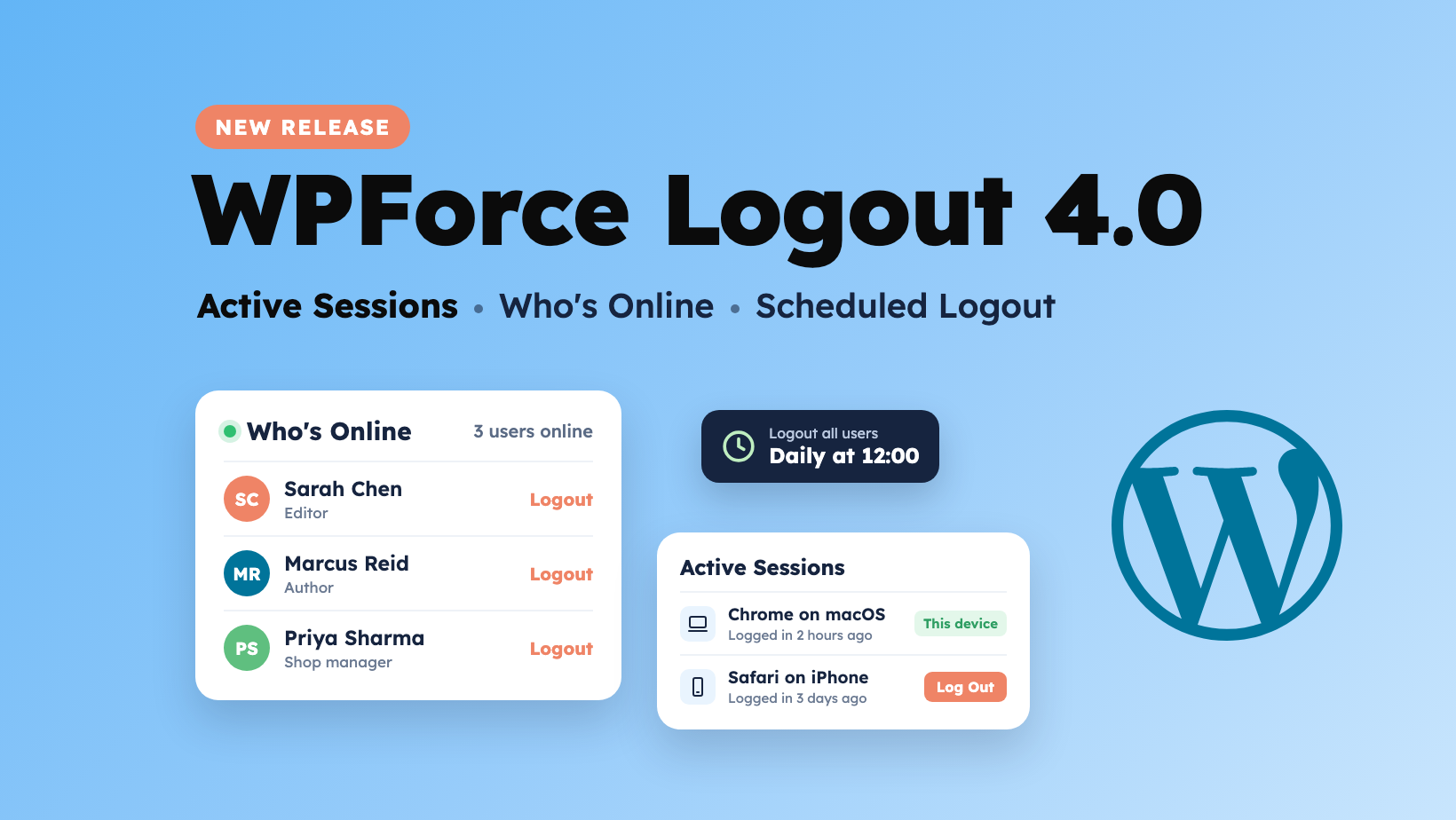
Every logged-in session on your WordPress site is a door that’s open. Most of the time that’s fine. But when a laptop is lost, a password leaks, or a contractor’s job is done, you want to know exactly who is logged in and close those doors right away.
WPForce Logout 4.0 is our biggest release yet. It adds two new PRO features that show you who’s logged in and where, and it closes two of the most requested feature requests. It also makes logout on browser close work properly, including “Remember Me” logins.
Here’s what’s new.
What’s New in WPForce Logout 4.0
1. Active Sessions: See Every Device a User Is Logged In On (PRO)
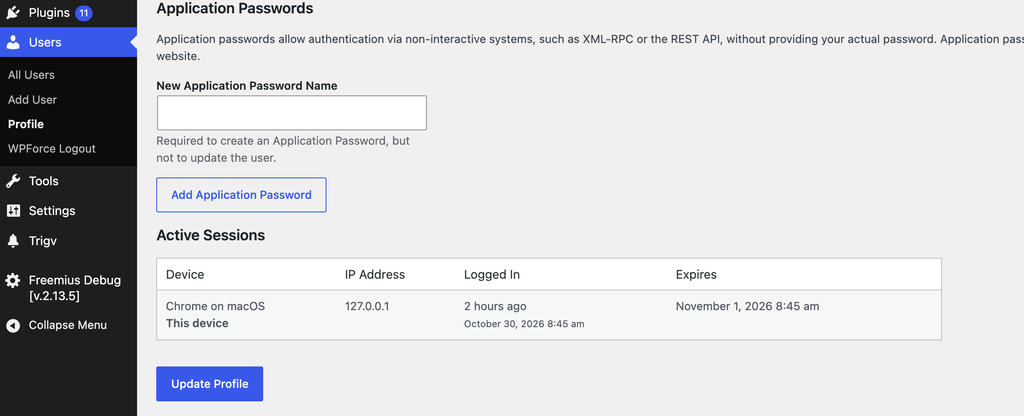
WordPress only lets you log a user out everywhere. That’s a blunt tool. If someone is logged in on their office computer, their phone and an unknown browser, you shouldn’t have to log them out of all three to deal with the one you don’t recognise.
The new Active Sessions section on every user’s profile lists each logged-in device with:
- Device: browser and operating system, e.g. “Chrome on macOS” or “Safari on iPhone”
- IP address
- When they logged in, and when the session expires
Each session has its own Log Out button, so you can end just the suspicious one. The device you’re using is marked “This device”, so you won’t log yourself out by accident.
Where to find it: Users → All Users → edit a user, or Users → Profile for your own account.
2. Who’s Online Dashboard Widget (PRO)
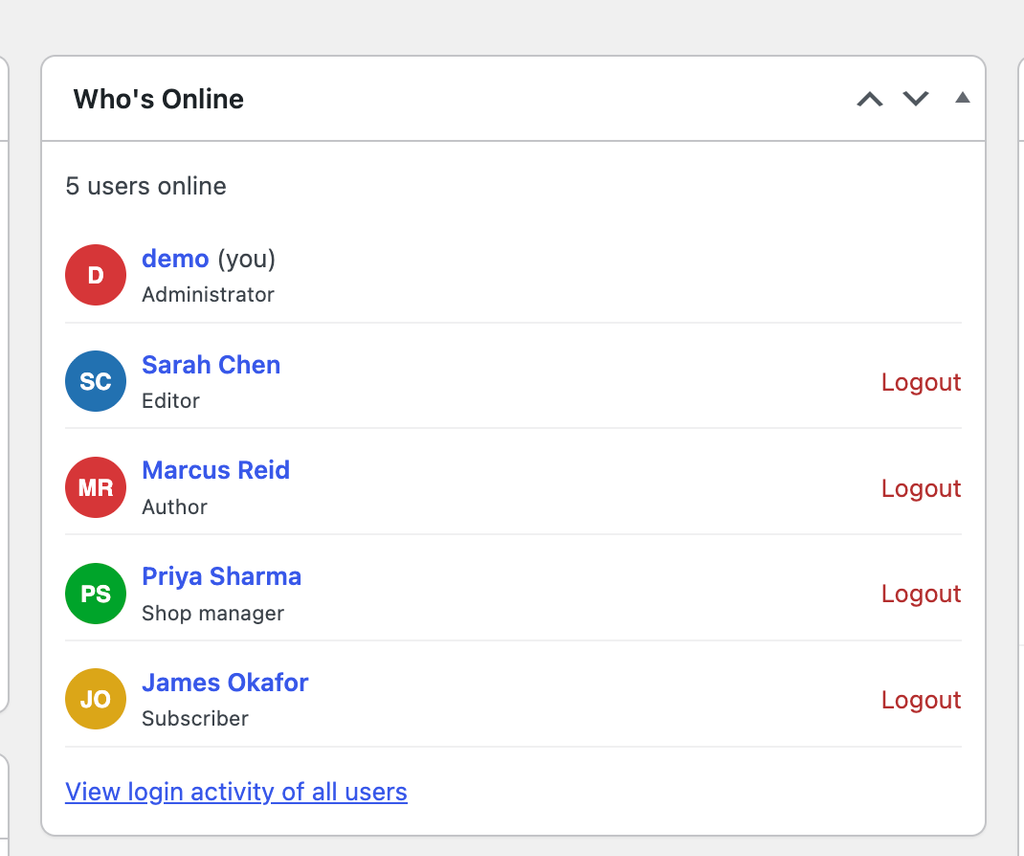
The new Who’s Online widget shows who is on your site right now, as soon as you log in to the dashboard. Each person is listed with their avatar, name and role, plus a one-click Logout link.
It’s ideal for membership sites, online courses, WooCommerce stores and multi-author blogs, where you want a quick view of who’s active without opening the Users page.
3. Scheduled Logout: Log Out All Users at a Specific Time (PRO)
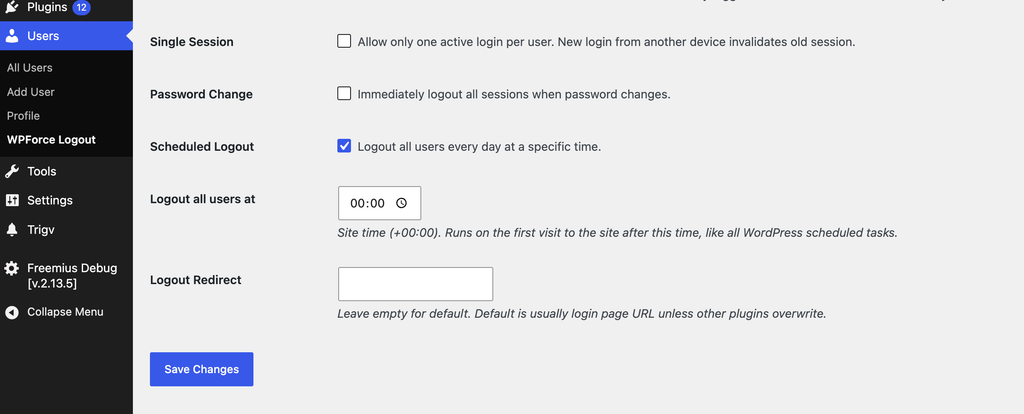
Need everyone to log in fresh every day? Turn on Scheduled Logout and pick a time, for example midnight or 12 PM. WPForce Logout logs out all users every day at that time, in your site’s timezone.
It’s useful for:
- Shared or kiosk computers in offices, schools and libraries
- Daily maintenance windows, when you want nobody logged in
- Membership sites that want to limit password sharing
Like all WordPress scheduled tasks, it runs on the first visit to your site after the chosen time.
4. Idle Logout for Specific Roles (PRO)
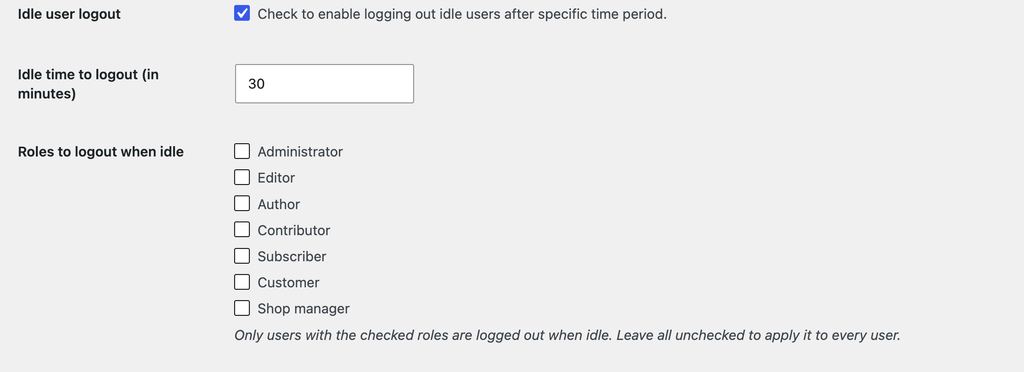
Idle User Logout has always logged out users after a period of inactivity. But as one user pointed out, logging out an administrator in the middle of writing a long post is a nightmare.
You can now choose which roles are logged out when idle. For example, log out Subscribers and Customers after 30 minutes, while Administrators and Editors stay logged in as normal. Leave all roles unchecked and idle logout applies to everyone, as before.
Idle logout is now also smarter with multiple tabs. A user working in one tab won’t be logged out because another tab of your site sat idle in the background.
5. Auto Logout on Browser Close, Rebuilt
Auto Logout after Browser Closure has been rebuilt from the ground up:
- Users are logged out when they close the browser, even if they ticked “Remember Me”.
- Browsers that reopen your previous tabs (“continue where you left off”) would normally keep users logged in. Now those users are logged out once no page of your site has been open for 10 minutes.
- No more false alarms: users who simply switch to another app for a few minutes stay logged in.
Security and Stability Fixes
Version 4.0 also includes fixes that make every site running WPForce Logout safer:
- Bulk logout on the Users page now includes a security check against forged requests.
- Single Active Session no longer causes an error at login on PHP 8.
- Logout on Password Change now also works when a password is changed from the user’s profile screen. The user stays logged in on the device they used to change it.
- “Logout All Users” is now much faster on sites with thousands of users.
- Fixed a “Deprecated: strip_tags()” warning shown at the top of some admin pages.
WPForce Logout 4.0 requires WordPress 5.3 or later and PHP 7.0 or later.
Free vs PRO: What’s Included
The free version of WPForce Logout on WordPress.org still covers the essentials:
- Force Logout All Users
- Logout Specific User(s)
- Bulk Logout Users
- Online/Offline User Status
- Last Login Activity
WPForce Logout PRO adds:
- New: Active Sessions
- New: Who’s Online dashboard widget
- New: Scheduled Logout
- New: Idle User Logout for specific roles
- Idle User Logout
- Auto Logout after Browser Closure
- Single Active Session
- Logout on Password Change
- Session Expiration
- Logout Redirect
- Priority Support
PRO starts at $19/year, or $39 for a lifetime licence, with a 100% money-back guarantee.
How to Update
- Free users: go to Dashboard → Updates and update WPForce Logout, or download it from WordPress.org.
- PRO users: the update appears in your dashboard like any other plugin update. Your settings carry over.
New PRO features are on Users → WPForce Logout. Active Sessions appears on each user’s profile, and the Who’s Online widget on your Dashboard. For a full walkthrough, see our guide on how to use the WPForce Logout plugin.
Frequently Asked Questions
How do I force logout all users in WordPress?
With WPForce Logout installed, go to Users → All Users and click Logout All Users. Everyone is logged out and has to log in again with their password. To do it automatically every day, use Scheduled Logout in PRO.
How can I see where a WordPress user is logged in?
WordPress doesn’t show this by default. With WPForce Logout PRO 4.0, open the user’s profile and check the Active Sessions section. It lists each device, IP address and login time, and lets you log out any single session.
Can I log out only some users when they’re idle?
Yes. In PRO, enable Idle User Logout and tick the roles that should be logged out when idle. Users with other roles, such as Administrators, stay logged in.
Will users lose their work if they’re logged out?
Logged-out users simply log in again with their password. If they’re editing a post, WordPress’s autosave keeps the latest draft. Limiting idle logout to specific roles helps keep editors and admins from being interrupted.
Upgrade Today
WPForce Logout 4.0 gives you a clear view of who’s logged in to your site and full control over ending those sessions.
👉 Get WPForce Logout PRO 👉 Download the free version on WordPress.org
Questions or feature ideas? Leave a comment below. Several features in this release came straight from user requests.

Sanjeev Aryal is the creative mind behind Mini Plugins, a brand dedicated to developing lightweight, efficient WordPress plugins. He also writes occasionally and contributes to WordPress community.


Leave a Reply